
Upgrade the Appliance
The appliance runs several component services that receive periodic upgrades. You manage and run these upgrades from the cloud Console.
Step 1: Start the Upgrade
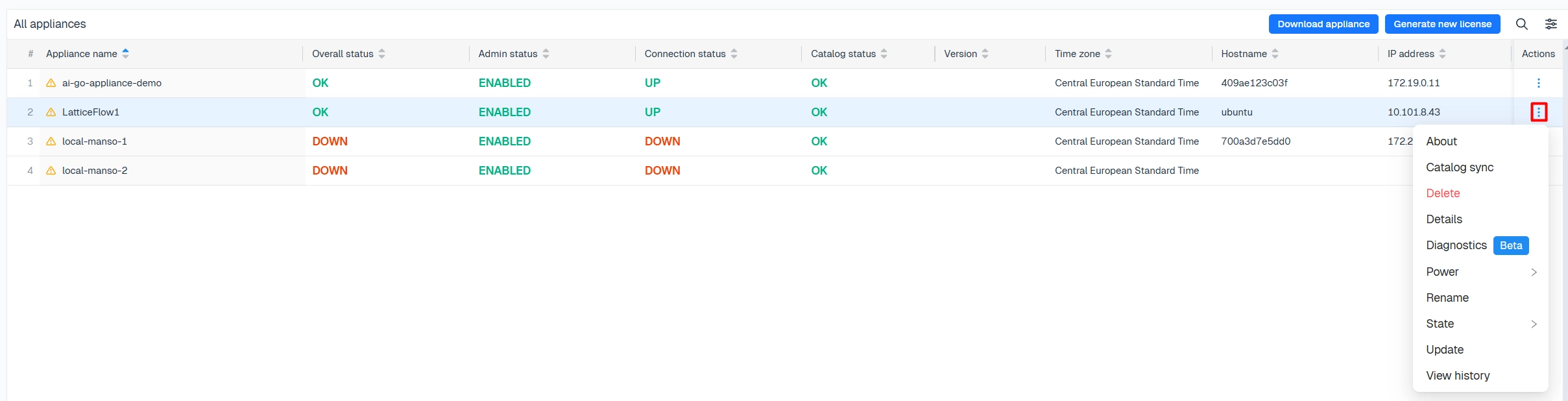
In the cloud Console, open the actions menu next to the appliance you want to upgrade and select Update. Any user with the required permissions can run an upgrade.
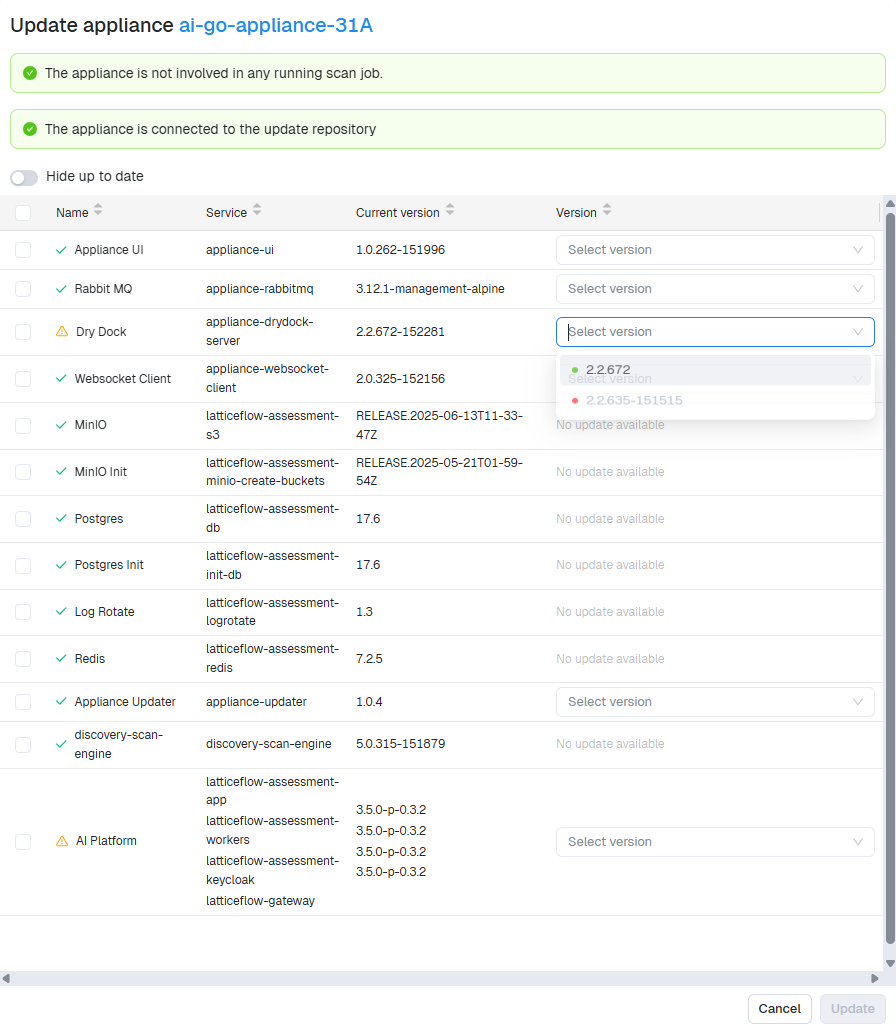
Select the component and version, then select Update.
Step 2: Wait for Completion
The appliance enters maintenance mode while it upgrades the component. When the upgrade finishes, a green check appears next to the appliance.
Upgrades run one component at a time and may briefly interrupt service while the appliance is in maintenance mode.