
Deployment
LatticeFlow AI is committed to adhering to best practices for handling sensitive information, for more details see Privacy Policy.
Advanced Deployment Options
Follow this guide to deploy AI GO! with ease. Check the advanced section for additional deployment options.
Requirements
Recommended machine specifications are (comparable to AWS r6i.xlarge EC2 instance):
| Component | Requirement |
|---|---|
| Operating System | Linux (x86) |
| CPU | 4 cores |
| GPU | Not required |
| Memory (RAM) | 32 GB |
| Disk | 64 GB |
| Networking | Expose 2 ports |
Prerequisites
Do not use
docker-composeAlways use
docker composeinstead ofdocker-composeto avoid docker related issues.
AI GO! is deployed using docker compose. To check if Docker Compose is installed, run the following command on your machine:
docker compose versionHow to install Docker Compose?
If you do not have docker compose installed yet, please follow the instructions below or the official docker documentation:
# Add Docker's official GPG key:
sudo apt-get update
sudo apt-get install -y ca-certificates curl
sudo install -m 0755 -d /etc/apt/keyrings
sudo curl -fsSL https://download.docker.com/linux/ubuntu/gpg -o /etc/apt/keyrings/docker.asc
sudo chmod a+r /etc/apt/keyrings/docker.asc

# Add the repository to Apt sources:
echo \
  "deb [arch=$(dpkg --print-architecture) signed-by=/etc/apt/keyrings/docker.asc] https://download.docker.com/linux/ubuntu \
  $(. /etc/os-release && echo "$VERSION_CODENAME") stable" | \
  sudo tee /etc/apt/sources.list.d/docker.list > /dev/null
sudo apt-get update

# Install the latest version
sudo apt-get install -y docker-ce docker-ce-cli containerd.io docker-buildx-plugin docker-compose-plugin

# Manage Docker as a non-root user
# https://docs.docker.com/engine/install/linux-postinstall/

# Create the docker group.
sudo groupadd docker

# Add your user to the docker group.
sudo usermod -aG docker $USER

# Activate the changes to groups or log out/log in
newgrp docker
sudo yum install -y docker
# Start the Docker service.
sudo service docker start
# Manage Docker as a non-root user
# https://docs.docker.com/engine/install/linux-postinstall/
sudo usermod -a -G docker $USER
# Install docker compose plugin
DOCKER_CONFIG=/usr/local/lib/docker
sudo mkdir -p $DOCKER_CONFIG/cli-plugins
sudo curl -SL "https://github.com/docker/compose/releases/latest/download/docker-compose-$(uname -s)-$(uname -m)" -o $DOCKER_CONFIG/cli-plugins/docker-compose
sudo chmod +x $DOCKER_CONFIG/cli-plugins/docker-compose
# Activate the changes to groups or log out/log in
newgrp docker# Please follow the instructions at:
# https://docs.latticeflow.io/page/latticeflow-web-installation-on-windowsStep 1: Login to Docker Registry
AI GO! is a containerized application. To gain access to Docker images, login into the LatticeFlow AI's Docker registry using your Docker credentials.
docker login registry.gitlab.com -u <username> -p <password>Step 2: Configure
The deployment is configured using environment variables. Create an .env file, copy the contents below into it and adjust the environment variables to your needs.
LF_VERSION="3.7.0"

LF_DB_PASSWORD="<DB owner password>"
LF_DB_TENANT_PASSWORD="<DB tenant password>"
MINIO_ROOT_PASSWORD="<minio root password>"
LF_S3_CLIENT_ACCESS_KEY_ID="<minio S3 access key ID>"
LF_S3_CLIENT_SECRET_KEY="<minio S3 secret key>"

# (Optional) Adjust the port on which AI GO! application will be available.
LF_APP_PORT="5005"
# (Optional) Adjust the port on which Keycloak IAM will be available.
LF_KEYCLOAK_PORT="8080"
Step 3: Deploy
Warning
The default LatticeFlow deployment comes without SSL encryption. Please run it in a trusted environment or adapt it to add SSL encryption following your company's best practices.
Docker Compose Template Contents
name: assessment

services:
  latticeflow-assessment-redis:
    restart: unless-stopped
    image: redis:7.2.5
    command: redis-server --save ""
    networks:
      - internal
    healthcheck:
      test: [ "CMD-SHELL", "redis-cli ping | grep PONG" ]
      interval: 1s
      timeout: 3s
      retries: 5

  latticeflow-assessment-db:
    restart: unless-stopped
    image: postgres:17.6
    shm_size: 1024mb
    networks:
      - internal
    volumes:
      - lf-data-db:/var/lib/postgresql/data
    environment:
      - POSTGRES_DB=${LF_DB_NAME:-assessment}
      - POSTGRES_USER=${LF_DB_USER:-latticeflow}
      - POSTGRES_PASSWORD=${LF_DB_PASSWORD:?error}
    healthcheck:
      test:
        [
          "CMD-SHELL",
          "pg_isready -d ${LF_DB_NAME:-assessment} -U ${LF_DB_USER:-latticeflow}",
        ]
      interval: 30s
      timeout: 60s
      retries: 5
      start_period: 80s

  latticeflow-assessment-app:
    user: "assessment:assessment"
    security_opt:
      - no-new-privileges:true
    restart: unless-stopped
    image: registry.gitlab.com/latticeflow/cloud/cloud/latticeflow-assessment:${LF_VERSION:?error}
    init: true
    working_dir: /app/latticeflow-assessment
    entrypoint: "lf_start_app"
    ports:
      - "${LF_APP_PORT:-5005}:5005"
    volumes:
      - lf-data-logs:/app/latticeflow-assessment/lf_data/data/logs
    environment:
      # General
      - LF_ENVIRONMENT=${LF_ENVIRONMENT:-production}
      - LF_ERROR_MONITORING_ENABLED=${LF_ERROR_MONITORING_ENABLED:-False}
      - LF_JOB_QUEUE_BROKER=redis://latticeflow-assessment-redis:6379
      - LF_MODEL_ENDPOINT_TIMEOUT=${LF_MODEL_ENDPOINT_TIMEOUT:-(10, 120)}
      - LF_MULTI_TENANT
      - LF_OWNER_KEY
      - LF_OFFLINE_MODE
      - LF_USES_PROXY
      # Database
      - POSTGRES_DB=${LF_DB_NAME:-assessment}
      - POSTGRES_USER=${LF_DB_USER:-latticeflow}
      - POSTGRES_PASSWORD=${LF_DB_PASSWORD:?error}
      - POSTGRES_HOST=latticeflow-assessment-db
      - LF_DB_TENANT_USER=${LF_DB_TENANT_USER:-tenant}
      - LF_DB_TENANT_PASSWORD=${LF_DB_TENANT_PASSWORD:?error}
      # S3
      - LF_S3_CLIENT_URL=http://latticeflow-assessment-minio:9000
      - LF_S3_CLIENT_ACCESS_KEY_ID=${LF_S3_CLIENT_ACCESS_KEY_ID:?error}
      - LF_S3_CLIENT_SECRET_KEY=${LF_S3_CLIENT_SECRET_KEY:?error}
      - LF_S3_CLIENT_BUCKET=${LF_S3_CLIENT_BUCKET:-latticeflow}
      # Keycloak
      - LF_KC_URL=http://latticeflow-assessment-keycloak:8080
      - LF_KC_EXTERNAL_PORT=${LF_KEYCLOAK_PORT:-8080}
      - LF_OIDC_ALLOW_INSECURE_REDIRECT_URI=${LF_OIDC_ALLOW_INSECURE_REDIRECT_URI:-False}
    networks:
      - external
      - internal
    depends_on:
      latticeflow-assessment-redis:
        condition: service_started
      latticeflow-assessment-init-db:
        condition: service_completed_successfully
      latticeflow-assessment-keycloak:
        condition: service_healthy
      latticeflow-assessment-s3:
        condition: service_started
      latticeflow-assessment-minio-create-buckets:
        condition: service_completed_successfully
    healthcheck:
      test: [ "CMD-SHELL", "python -c \"import requests; print(requests.get('http://localhost:5005/api/ping').text)\" | grep pong" ]
      interval: 10s
      timeout: 5s
      retries: 120

  latticeflow-assessment-workers:
    user: "assessment:assessment"
    security_opt:
      - no-new-privileges:true
    restart: unless-stopped
    image: registry.gitlab.com/latticeflow/cloud/cloud/latticeflow-assessment:${LF_VERSION:?error}
    init: true
    working_dir: /app/latticeflow-assessment
    entrypoint: "lf_start_workers"
    environment:
      # General
      - LF_ENVIRONMENT=${LF_ENVIRONMENT:-production}
      - LF_ERROR_MONITORING_ENABLED=${LF_ERROR_MONITORING_ENABLED:-False}
      - LF_JOB_QUEUE_BROKER=redis://latticeflow-assessment-redis:6379
      - LF_MODEL_ENDPOINT_TIMEOUT=${LF_MODEL_ENDPOINT_TIMEOUT:-(10, 120)}
      # Database
      - POSTGRES_DB=${LF_DB_NAME:-assessment}
      - POSTGRES_USER=${LF_DB_USER:-latticeflow}
      - POSTGRES_PASSWORD=${LF_DB_PASSWORD:?error}
      - POSTGRES_HOST=latticeflow-assessment-db
      - LF_DB_TENANT_USER=${LF_DB_TENANT_USER:-tenant}
      - LF_DB_TENANT_PASSWORD=${LF_DB_TENANT_PASSWORD:?error}
      # Keycloak
      - LF_KC_URL=http://latticeflow-assessment-keycloak:8080
      # S3
      - LF_S3_CLIENT_URL=http://latticeflow-assessment-minio:9000
      - LF_S3_CLIENT_ACCESS_KEY_ID=${LF_S3_CLIENT_ACCESS_KEY_ID:?error}
      - LF_S3_CLIENT_SECRET_KEY=${LF_S3_CLIENT_SECRET_KEY:?error}
      - LF_S3_CLIENT_BUCKET=${LF_S3_CLIENT_BUCKET:-latticeflow}
    volumes:
      - lf-data-logs:/app/latticeflow-assessment/lf_data/data/logs
    networks:
      - internal
      - external
    depends_on:
      latticeflow-assessment-app:
        condition: service_healthy
      latticeflow-assessment-init-db:
        condition: service_completed_successfully
      latticeflow-assessment-redis:
        condition: service_healthy
    healthcheck:
      test: [ "CMD-SHELL", "python", "-m", "celery", "-A", "latticeflow.assessment.job_queue", "inspect", "ping" ]
      start_period: 20s
      interval: 5s
      timeout: 10s
      retries: 3

  latticeflow-assessment-logrotate:
    image: blacklabelops/logrotate
    restart: unless-stopped
    volumes:
      - lf-data-logs:/app/latticeflow-assessment/lf_data/data/logs
    environment:
      - LOGS_DIRECTORIES=/app/latticeflow-assessment/lf_data/data/logs
      - LOGROTATE_SIZE=10M
      - LOGROTATE_COPIES=3

  latticeflow-assessment-keycloak:
    user: "assessment:assessment"
    restart: unless-stopped
    image: registry.gitlab.com/latticeflow/cloud/cloud/latticeflow-assessment-keycloak:${LF_VERSION:?error}
    ports:
      - "${LF_KEYCLOAK_PORT:-8080}:8080"
    networks:
      - internal
      - external
    depends_on:
      latticeflow-assessment-init-db:
        condition: service_completed_successfully
    healthcheck:
      test: [ "CMD-SHELL", "/healthcheck.sh" ]
      start_period: 10s
      interval: 5s
      timeout: 2s
      retries: 20
    environment:
      - KC_BOOTSTRAP_ADMIN_USERNAME=${KC_BOOTSTRAP_ADMIN_USERNAME:-admin}
      - KC_BOOTSTRAP_ADMIN_PASSWORD=${KC_BOOTSTRAP_ADMIN_PASSWORD:-admin}
      - KC_DB=postgres
      - KC_DB_URL=jdbc:postgresql://latticeflow-assessment-db/${LF_KC_DB_NAME:-keycloak}
      - KC_DB_USERNAME=${LF_KC_DB_USER:-keycloak}
      - KC_DB_PASSWORD=${LF_KC_DB_PASSWORD:-keycloak}
      # Allow Keycloak to be addressed with a different hostname than its own.
      - KC_HOSTNAME_STRICT=${KC_HOSTNAME_STRICT:-false}
      - KC_HOSTNAME
      - KC_HOSTNAME_BACKCHANNEL_DYNAMIC
      # Allow plain HTTP.
      - KC_HTTP_ENABLED=true
      # Tell KC to infer routing and redirect info from the XFF headers.
      - KC_PROXY_HEADERS=xforwarded
    entrypoint: [
      "/opt/keycloak/bin/kc.sh",
      "start",
      # Pass this flag to prevent keycloak from doing another build and overriding our config.
      "--optimized",
    ]

  latticeflow-assessment-s3:
    hostname: latticeflow-assessment-minio
    image: minio/minio:RELEASE.2025-06-13T11-33-47Z
    restart: unless-stopped
    ports:
      - "${LF_S3_PORT}:9000"
    networks:
      - internal
      - external
    volumes:
      - lf-data-s3:/data
    healthcheck:
      test: [ "CMD-SHELL", "curl -I http://localhost:9000/minio/health/live" ]
      interval: 2s
      timeout: 3s
      retries: 5
    environment:
      - MINIO_ROOT_USER=${MINIO_ROOT_USER:-minio}
      - MINIO_ROOT_PASSWORD=${MINIO_ROOT_PASSWORD:?error}
      - MINIO_BROWSER=off
    command: [ "server", "/data" ]

  latticeflow-assessment-init-db:
    # This container does initialization of the databases.
    image: postgres:17.6
    command: [ "/bin/bash", "/etc/init-kc-db.sh" ]
    environment:
      - PGURL=postgresql://${LF_DB_USER:-latticeflow}:${LF_DB_PASSWORD:?error}@latticeflow-assessment-db:5432/${LF_DB_NAME:-assessment}
      - LF_DB_TENANT_USER=${LF_DB_TENANT_USER:-tenant}
      - LF_DB_TENANT_PASSWORD=${LF_DB_TENANT_PASSWORD:?error}
    networks:
      - internal
    volumes:
      - ./init-kc-db.sh:/etc/init-kc-db.sh
    depends_on:
      latticeflow-assessment-db:
        condition: service_healthy

  latticeflow-assessment-minio-create-buckets:
    image: minio/mc:RELEASE.2025-05-21T01-59-54Z
    depends_on:
      latticeflow-assessment-s3:
        condition: service_healthy
    networks:
      - internal
    environment:
      - MINIO_URL=http://latticeflow-assessment-minio:9000
      - MINIO_ROOT_USER=${MINIO_ROOT_USER:-minio}
      - MINIO_ROOT_PASSWORD=${MINIO_ROOT_PASSWORD:?error}
      - MINIO_BUCKET=${LF_S3_CLIENT_BUCKET:-latticeflow}
      - MINIO_ACCESSKEY=${LF_S3_CLIENT_ACCESS_KEY_ID:?error}
      - MINIO_SECRETKEY=${LF_S3_CLIENT_SECRET_KEY:?error}
    entrypoint: >
      /bin/sh -c "
      echo '{
        \"Version\": \"2012-10-17\",
        \"Statement\": [
          {
            \"Action\": [
              \"s3:ListBucket\",
              \"s3:PutObject\",
              \"s3:GetObject\",
              \"s3:DeleteObject\"
            ],
            \"Effect\": \"Allow\",
            \"Resource\": [
              \"arn:aws:s3:::'$${MINIO_BUCKET}'/*\",
              \"arn:aws:s3:::'$${MINIO_BUCKET}'\"
            ],
            \"Sid\": \"BucketAccessForUser\"
          }
        ]
      }'
      >> /tmp/latticeflow-crud-policy.json;
      mc alias set minio-local $${MINIO_URL} $${MINIO_ROOT_USER} $${MINIO_ROOT_PASSWORD} --api S3v4;
      mc admin user add minio-local $${MINIO_ACCESSKEY} $${MINIO_SECRETKEY};
      mc mb minio-local/$${MINIO_BUCKET} --ignore-existing --insecure;
      mc version enable minio-local/$${MINIO_BUCKET};
      mc admin policy create minio-local latticeflow-crud-permissions /tmp/latticeflow-crud-policy.json;
      mc admin policy attach minio-local latticeflow-crud-permissions --user $${MINIO_ACCESSKEY};
      "

networks:
  external:
    driver: bridge
  internal:
    driver: bridge
    internal: true

volumes:
  lf-data-db:
    driver: local
  lf-data-s3:
    driver: local
  lf-data-logs:
    driver: local
In the directory with the .env file, run the following commands to download the deployment files and containers, and deploy LatticeFlow AI GO!.
source .env  # If using `/bin/sh` shell, then use: . $PWD/.env
wget -O docker-compose.yaml https://cdn.latticeflow.cloud/_aigo/releases/$LF_VERSION/docker-compose.yaml
wget -O init-kc-db.sh https://cdn.latticeflow.cloud/_aigo/releases/$LF_VERSION/init-kc-db.sh
docker compose up --detach
If everything started successfully, you should see an output similar to the one below.
Example: Successful output
 docker compose up --detach
[+] Running 15/15
✔ Network assessment_internal                                         Created             0.0s
✔ Network assessment_external                                         Created             0.0s
✔ Network assessment_default                                          Created             0.0s
✔ Volume "assessment_lf-data-s3"                                      Create...           0.0s
✔ Volume "assessment_lf-data-db"                                      Create...           0.0s
✔ Volume "assessment_lf-data-logs"                                    Crea...             0.0s
✔ Container assessment-latticeflow-assessment-db-1                    Healthy             6.2s
✔ Container assessment-latticeflow-assessment-redis-1                 Healthy             23.5s
✔ Container assessment-latticeflow-assessment-s3-1                    Healthy             3.3s
✔ Container assessment-latticeflow-assessment-logrotate-1             Started             0.8s
✔ Container assessment-latticeflow-assessment-init-db-1               Exited              23.4s
✔ Container assessment-latticeflow-assessment-minio-create-buckets-1  Exited              7.6s
✔ Container assessment-latticeflow-assessment-keycloak-1              Healthy             22.5s
✔ Container assessment-latticeflow-assessment-app-1                   Healthy             33.2s
✔ Container assessment-latticeflow-assessment-workers-1               Started             33.4s
Step 4: Set Up
After successfully starting the deployment, AI GO! should be accessible at http://localhost:5005 . If a different port than 5005 was set to LF_APP_PORT in Step 2, adapt the URL.
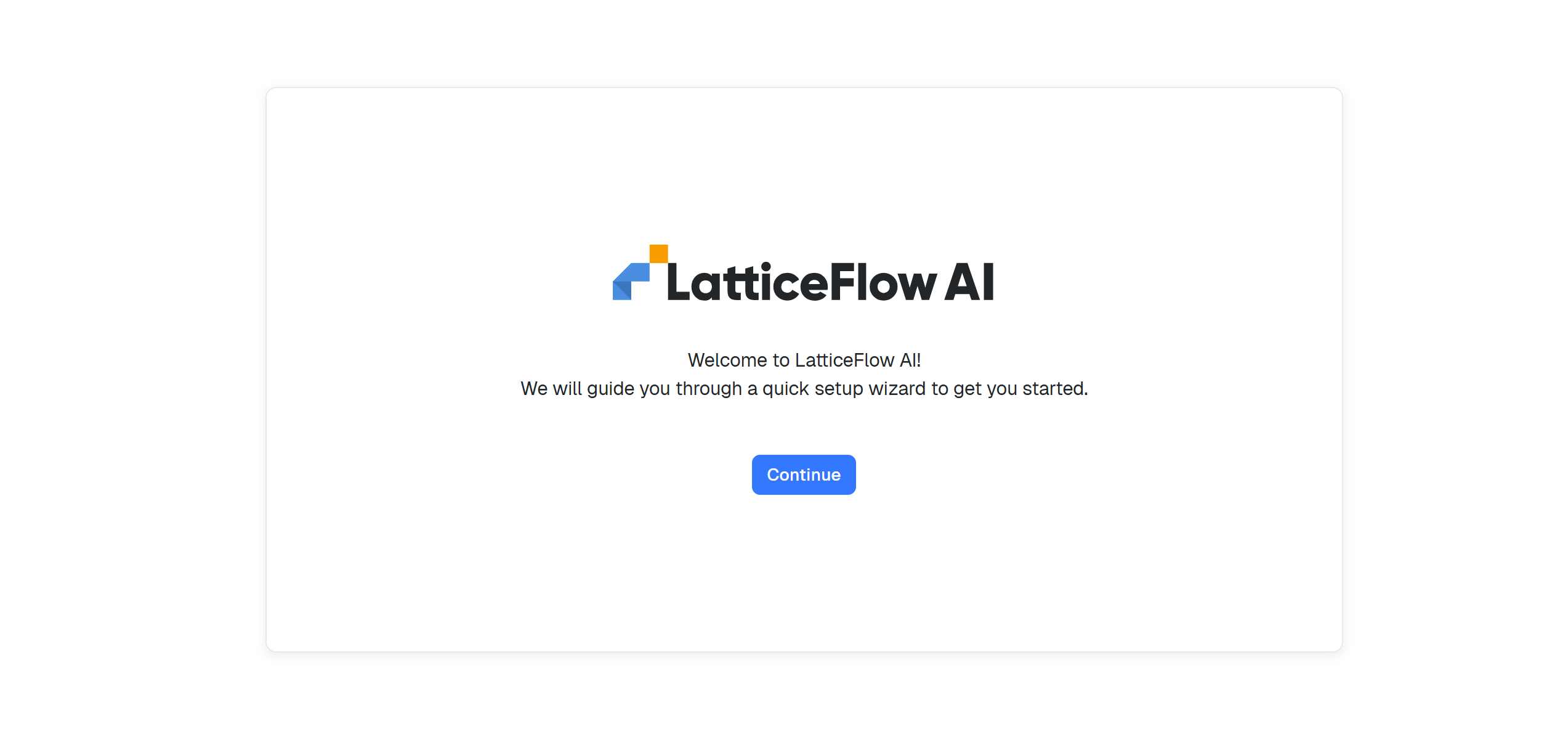
The Quick Setup wizard is launched after opening AI GO! for the first time.