
Manage AI Apps
An AI app represents a workspace to execute technical evaluations for a given AI use case.
Key Concepts
- AI apps are self-contained containers, i.e. all entities (e.g. models, datasets) and evaluations live inside one AI app and do not impact entities in other AI apps.
- In the CLI, AI apps behave similarly to Git branches - an AI app needs to be created and switched to before making any changes or running new evaluations. An AI app is identified by its key (cf. branch name).
- An AI app should contain all artifacts and entities required to execute a technical evaluations of a given AI agent/system.
Quick Links
Usage
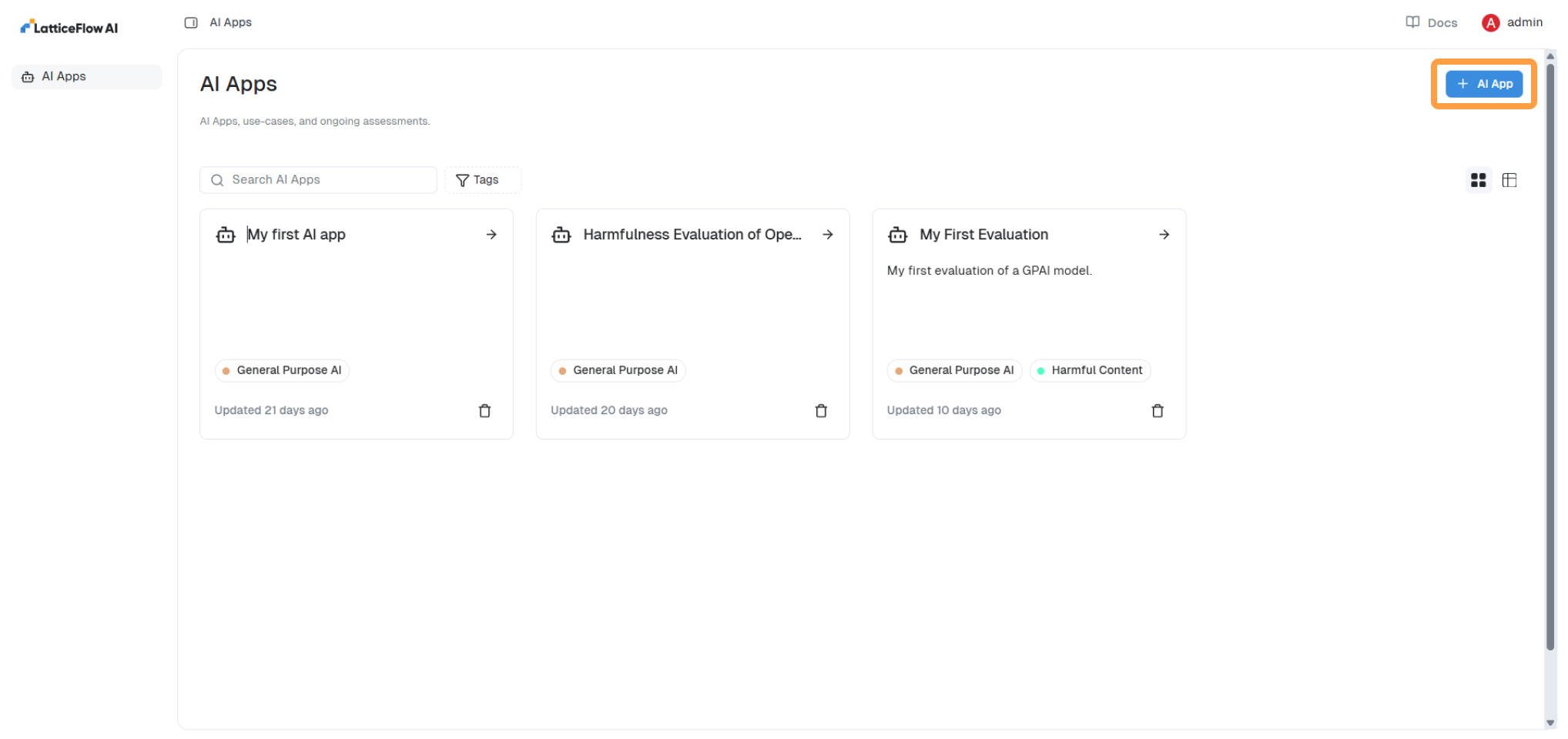
To create an AI App in the UI, navigate to the homepage and click on Add AI App button in the upper right corner and filling up the form. Remember, that we will use the key to refer the AI app and switch to it when using the SDK/CLI.
To create an AI app in the CLI, define the AI app in a YAML file app.yaml.
display_name: "My App"
key: "my-app"
Then, create the AI app as defined in app.yaml and switch to it.
lf app add -f 'app.yaml'
lf switch 'my-app'
To check which AI apps is in context.
lf status