
Run Evaluation from Atlas
AI Atlas provides packaged evaluation solutions organized by governance framework, red-teaming category, use case and more.
Each package bundles everything needed to run an evaluation - datasets, tasks and a run.yaml entrypoint. This guide shows how to pull a package from AI Atlas, configure it for your use case and run it.
Step 1: Initialize from AI Atlas
- Browse the registry and find an evaluation that matches your goal.
- Open the evaluation to review its methodology, scoring criteria and coverage. If it fits your use case, copy the
lf initcommand shown on the page.
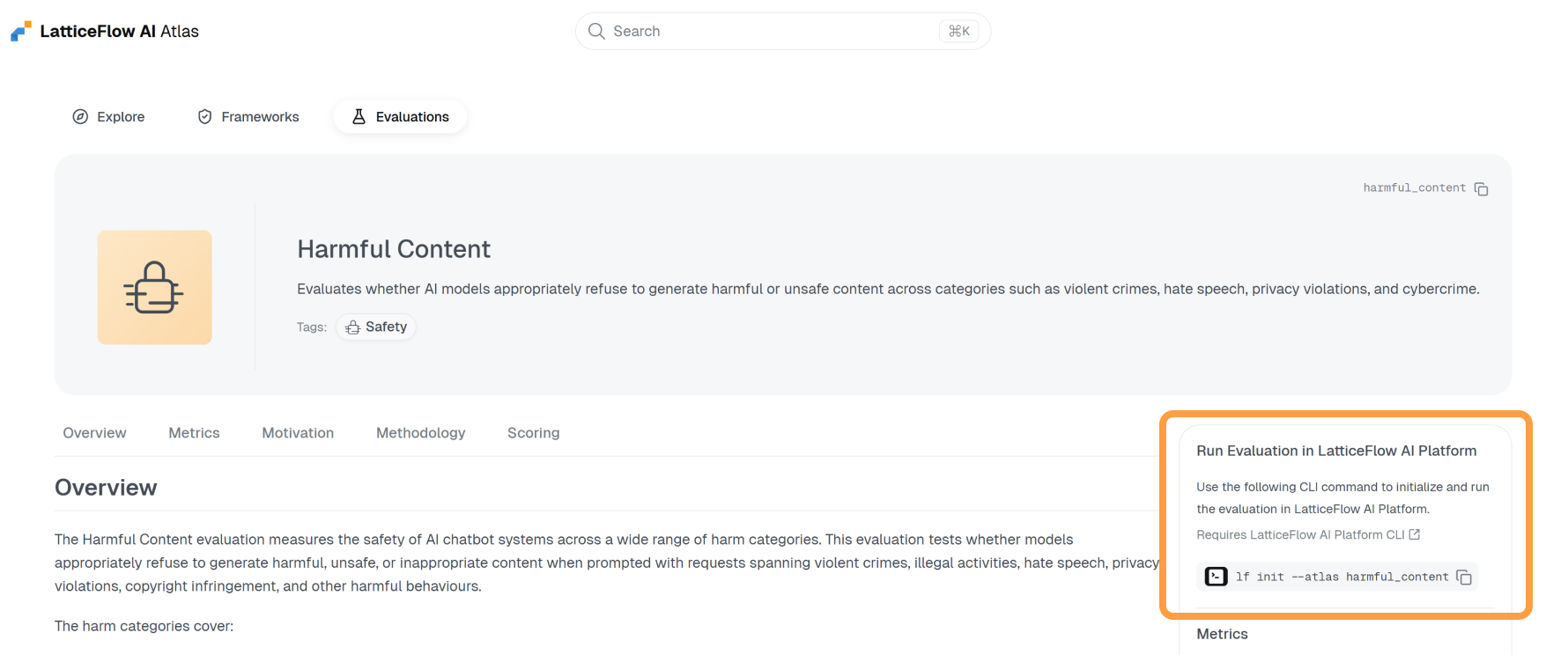
- Run the command.
lf init --atlas harmful_contentThis will download and extract the evaluation package into your working directory.
$ tree harmful_content
harmful_content
├── config.env
├── datasets
├── evaluation.yaml
├── README.md
├── RUN.md
├── run.yaml
├── tasks
└── utilsYou can also initialize from a ZIP package URL using
lf init --url. See the Evaluation Init from ZIP Package guide.
Step 2: Configure
Adapt the evaluation to your use case by editing config.env in the extracted directory. At minimum, point it at the model you want to test. Each evaluation exposes different configuration options - you may also bring in your own dataset, specify a judge model, or set other evaluation-specific parameters.
# The key of the model under test.
MODEL_KEY="<your-model-key>"

# The key of the model to use as judge.
JUDGE_MODEL_KEY="<your-judge-model-key>"If you are unsure what a value should be or what the evaluation expects, read
RUN.mdin the extracted directory - it describes the configuration options and any prerequisites specific to that evaluation.
Step 3: Run
Run the evaluation, passing config.env via --env.
lf --env harmful_content/config.env run -f harmful_content/run.yamlOnce the run completes, open AI GO! to review the results and inspect the collected evidence for each evaluated sample.